

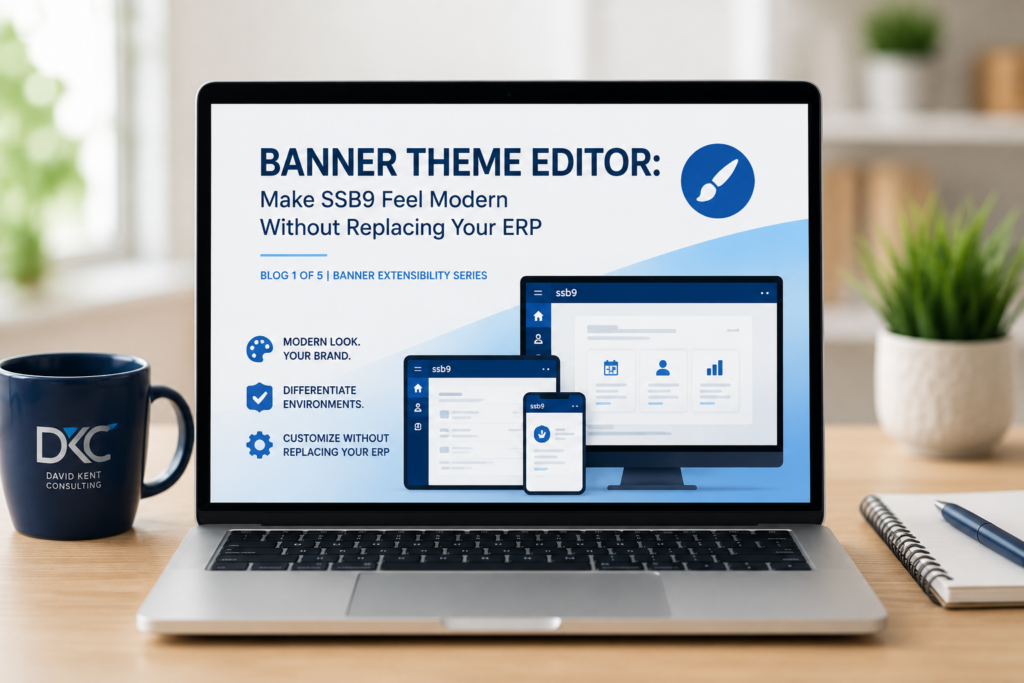
By Rebecca Benya, Higher Education Consultant | David Kent Consulting
Blog 1 of 5 | Banner Extensibility Series
A CIO opens Banner to demo the student portal during a board presentation. The interface looks exactly the way it did when the system was first installed: default colors, a generic logo, and navigation that doesn’t match anything else on the institution’s website. The board sees a system that looks outdated. The CIO knows the system works, but the first impression tells a different story.
The Problem: Banner Still Looks Like Banner
Many Banner environments still look exactly the way they did when they were first installed. They use the default colors, default logos, and default styling that ship with the product. Meanwhile, every other application on campus reflects the institution’s brand.
That disconnect often becomes part of the conversation when institutions begin evaluating ERP modernization. A dated interface can make Banner feel older than it really is.
The good news is that improving the look and usability of Banner Self-Service 9 (SSB9) doesn’t require replacing your ERP.
Why This Matters Right Now
Institutions extending the life of their Banner investment can improve usability and reduce operational risk using Banner Theme Editor, a delivered tool many already own but have never fully explored. Every improvement that enhances the user experience or reduces operational risk helps maximize that investment.
Theme Editor makes it possible to modernize the appearance of Banner, align it with your institution’s brand, and improve usability without replacing your ERP. It is one of several Banner extensibility capabilities that allow institutions to do more with the platform they already have.
Where the Real Complexity Is
Branding Is More Than Changing Colors
The first step should be your institution’s branding standards. Your Marketing or Communications department likely already maintains a style guide with approved colors, logos, and typography.
Theme Editor allows you to apply those standards across Banner Admin and Self-Service. You can replace logos, update favicons, and apply your institution’s color palette so Banner feels like part of the rest of your campus applications.
Care is required when building a theme. Banner has specific requirements for logos and favicons, and it’s important to verify that colors provide sufficient contrast. A logo that blends into the background or navigation that becomes difficult to read creates more problems than it solves.
One Theme Is Rarely Enough
One of the most valuable features of Theme Editor has nothing to do with branding.
Theme Editor supports multiple themes. That means Production, Test, and Development can each have their own distinct appearance.
Anyone who supports Banner has had that moment of hesitation before making a change: “Am I in Production or Test?”
A simple visual cue removes that uncertainty immediately.
One of the first things I look for during a Banner assessment is whether Production and non-production environments are visually distinct. It’s a small change that can prevent expensive mistakes.
Theme Editor Goes Beyond Branding
Banner Theme Editor and Ellucian Theme Editor are more than branding tools. Theme Editor includes SCSS stylesheets for every Banner Self-Service application. When Banner doesn’t provide a configuration option for a particular interface element, those stylesheets give you another way to tailor the user experience.
One practical example is Student Self-Service. Many institutions don’t use features such as Office Hours or Midterm Grades, yet those options are still displayed to students. The result is predictable: students see that the information is missing, then call the Help Desk or Registrar asking why.
A targeted SCSS change can hide those unused items, giving students a cleaner interface that reflects the services your institution actually provides. This reduces confusion without changing Banner’s underlying functionality.
This is where Theme Editor becomes more than a branding tool. It gives you a way to make thoughtful interface improvements when there isn’t another supported method available. Whether you’re applying your institution’s visual identity, differentiating Production from Test, or simplifying Self-Service by removing unused elements, Theme Editor helps Banner better reflect how your institution actually operates.
As with any customization, document your SCSS changes and test them after Banner upgrades. The changes are typically straightforward, but good change management practices still apply.
Banner Theme Editor and Ellucian Theme Editor
There are two versions of Theme Editor. Banner Theme Editor is the on-premises version. Ellucian Theme Editor is the SaaS-compliant version. If you’re running Banner on-premises, you can still use Ellucian Theme Editor.
Adopting Ellucian Theme Editor now can help prepare your institution for a future move to Banner SaaS by familiarizing your team with the tool and reducing one more change to manage during a migration.
Knowing which version you’re using ensures you’re following the correct documentation and implementation process.
Practical Next Steps
- Start with your institution’s style guide before creating a theme.
- Apply your institution’s branding across Banner Admin and Self-Service.
- Use separate themes for Production, Test, and Development to reduce operational mistakes.
- Use SCSS to hide unused Self-Service items, such as Office Hours and Midterm Grades, reducing student confusion when standard configuration options are unavailable.
- Test custom themes carefully and document SCSS changes so they’re easy to validate after upgrades.
Conclusion
Banner Theme Editor gives institutions three capabilities without a major project or a new ERP: a professional, branded experience; clear visual separation between environments; and a way to simplify the Self-Service interface where Banner doesn’t provide another option. Those improvements benefit administrators and students alike, and they can often be implemented in far less time than people expect.
If your institution hasn’t explored what Theme Editor can do, now is a good time to take a fresh look.
Kent Perspective
In our work with Banner institutions, the most common pattern we see is that Theme Editor has been installed but never configured beyond the defaults. The institutions that get the most value from it treat it as part of a broader approach to modernizing the SSB9 experience, not as a standalone cosmetic change. When Banner reflects the institution’s brand and environments are easy to distinguish, users can see that the system is being actively maintained.
If your institution is looking for a second perspective on what’s possible with your Banner environment, we’re happy to share what we’ve seen work at other campuses.
Coming Next
In the next article in this series, we look at a different challenge: when users struggle with Banner, the problem isn’t always the users. If Your Users Don’t Understand Banner, It’s Probably Not Their Fault explores how Banner Text Manager helps institutions replace confusing system-generated labels with language their campus actually uses.
Key Takeaways
- Banner Theme Editor is a delivered Ellucian tool that many institutions already own but have never configured beyond the defaults.
- Institutions can apply their branding standards across Banner Admin and SSB9 Self-Service without development work or an ERP replacement.
- You can use different themes to clearly distinguish Production, Test, and Development.
- Theme Editor’s SCSS stylesheets allow targeted interface changes, such as hiding unused Self-Service items like Office Hours and Midterm Grades, when standard configuration options are unavailable.
- Banner Theme Editor (on-premises) and Ellucian Theme Editor (SaaS-compliant) are both available to institutions running Banner on-premises. Adopting the SaaS version now can reduce migration effort later.
Frequently Asked Questions: Theme Editor
Yes. Theme Editor includes SCSS stylesheets for each Self-Service application. These can be used to make targeted interface changes, including hiding elements that your institution doesn’t use.
Your themes will persist across Banner upgrades.
If Ellucian delivers a new SCSS file as part of an upgrade, you’ll need to review that file and reapply any custom SCSS changes you’ve made. This is why documenting your customizations is important. Good documentation makes it straightforward to identify and reapply those changes when necessary.
Use separate themes with clearly different color schemes, logos, or environment labels. Making each environment immediately recognizable is one of the simplest ways to reduce accidental changes in the wrong Banner instance.
Banner extensibility refers to a set of delivered Ellucian tools that allow institutions to customize and extend Banner’s functionality without modifying core application code. These tools include Theme Editor (branding and interface customization), Text Manager (label and message customization), Page Builder (custom pages and applications), Configure Page Components (page layout control), and Supplemental Data Engine (additional data capture). Each tool addresses a different aspect of the Banner experience and can be implemented without affecting upgrade compatibility.
Ellucian is the company that develops and maintains Banner. Banner is one of Ellucian’s enterprise resource planning (ERP) products, specifically designed for higher education institutions. Ellucian also offers other products and platforms, but Banner remains one of its most widely deployed systems, serving hundreds of colleges and universities for student information, financial aid, finance, and human resources.
About the Author
Becky Benya is a higher education technology consultant specializing in Ellucian Banner, system administration, integrations, reporting, and operational improvement. She works with colleges and universities to simplify complex technical challenges and help IT teams get more value from the systems they already own.
About David Kent Consulting
David Kent Consulting is a higher education technology consulting firm with more than two decades of experience serving colleges and universities. The firm specializes in Ellucian Banner, Degree Works, Workday, Oracle, cloud modernization, and financial aid systems. With a team of experienced practitioners and a vendor-independent perspective, DKC helps institutions navigate enterprise technology decisions, optimize existing environments, and plan for sustainable modernization.
Learn more: davidkentconsulting.com/how-we-work
